Write down exactly what you hear.
Improve your listening and writing by transcribing exactly what you hear.
iPhone & iPad · 2026
Overview
Sharper focus through dictation.
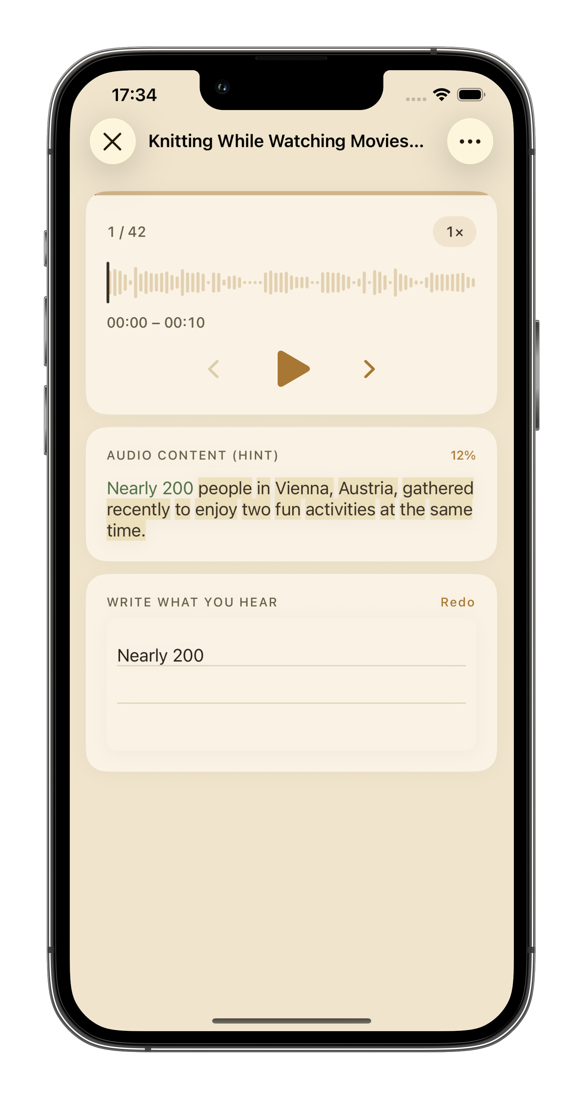
Dictation forces you to listen closely to every word — no skimming for the gist and moving on. Inkline is built around that: lessons are split into sentences, audio pauses at the end of each one, and what you type is checked against the original word by word. Beyond the built-in lessons, you can add your own audio to personalize what you practice with.
How it works
Three steps to get started.
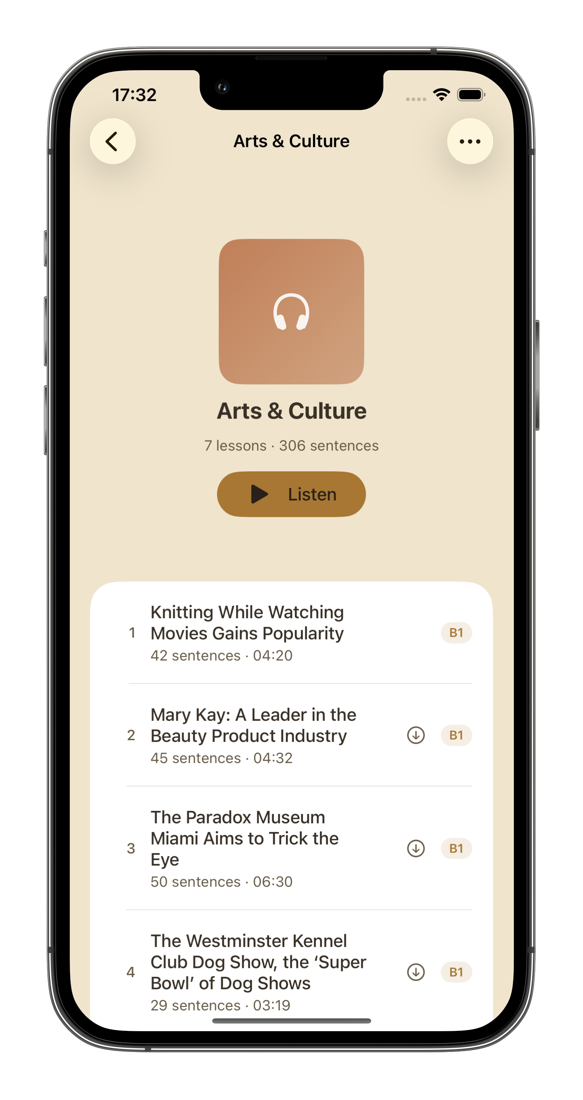
Pick a lesson to listen to
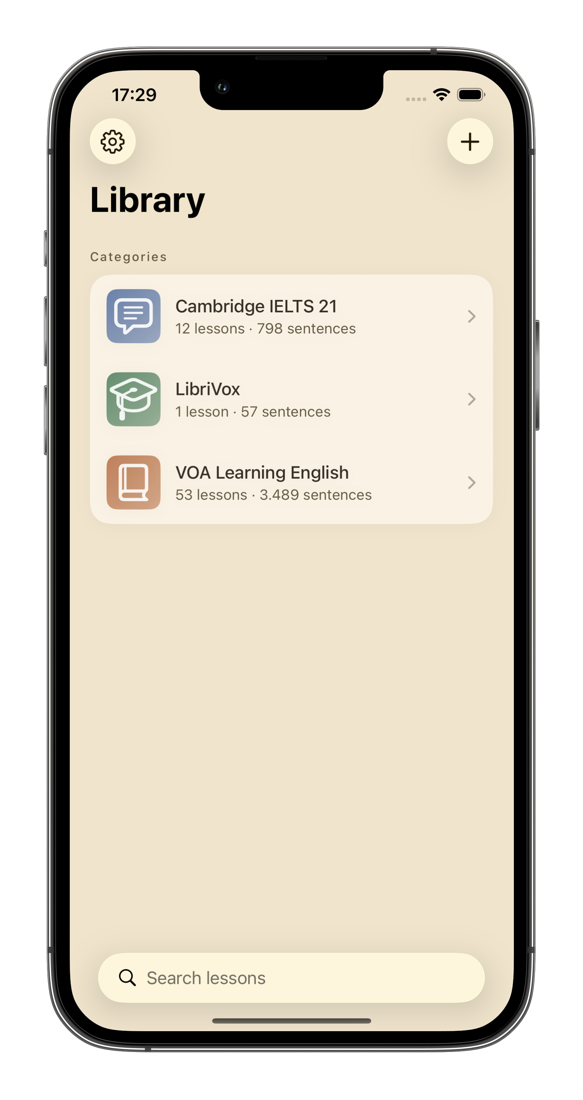
Start with the built-in library, or import a podcast episode, a lecture, or a recording of your own. Lessons are organized into topic folders.
Set up the lesson content
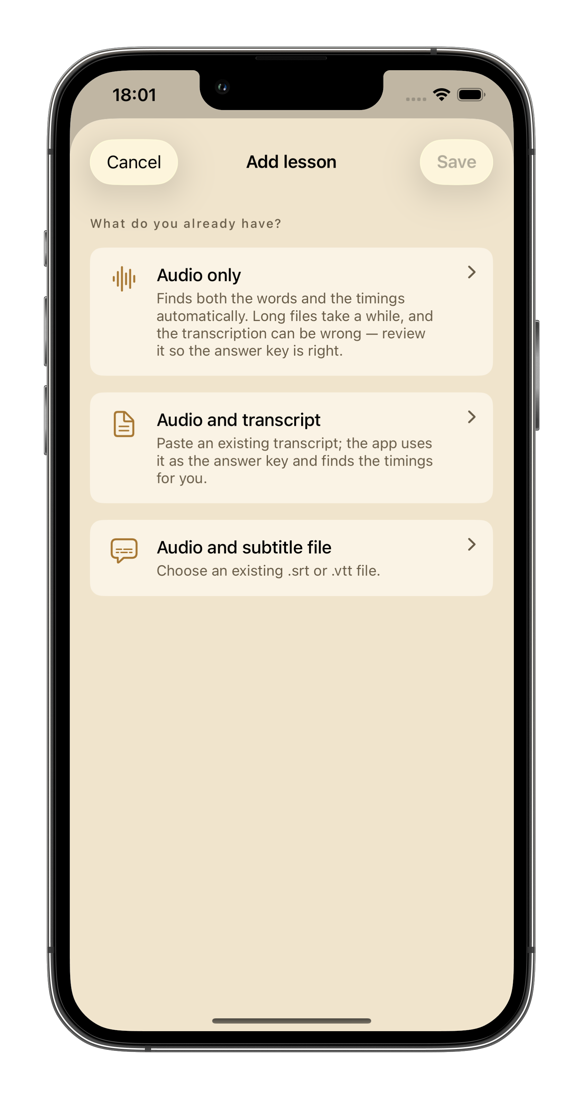
Tell the app what you have — audio only, audio with a transcript, or audio with an .srt/.vtt file — and it splits sentences and aligns timing automatically. You can still fine-tune the content afterward.
Write down what you hear
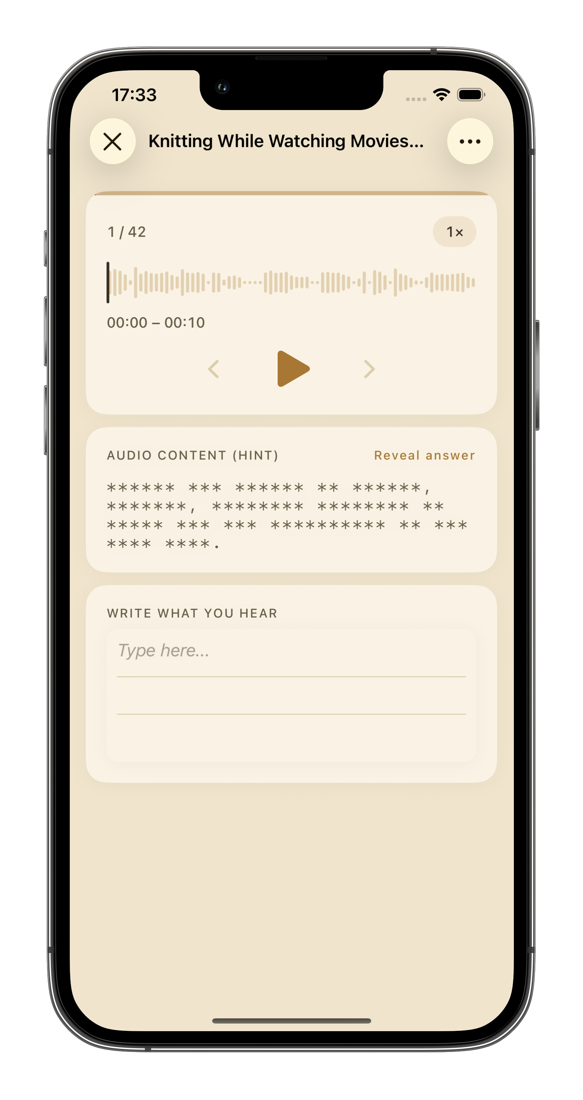
Audio pauses at the end of each sentence. Type on the keyboard, or write by hand with Apple Pencil — then check your result instantly.
Features
Train your ear, sharpen your eye.
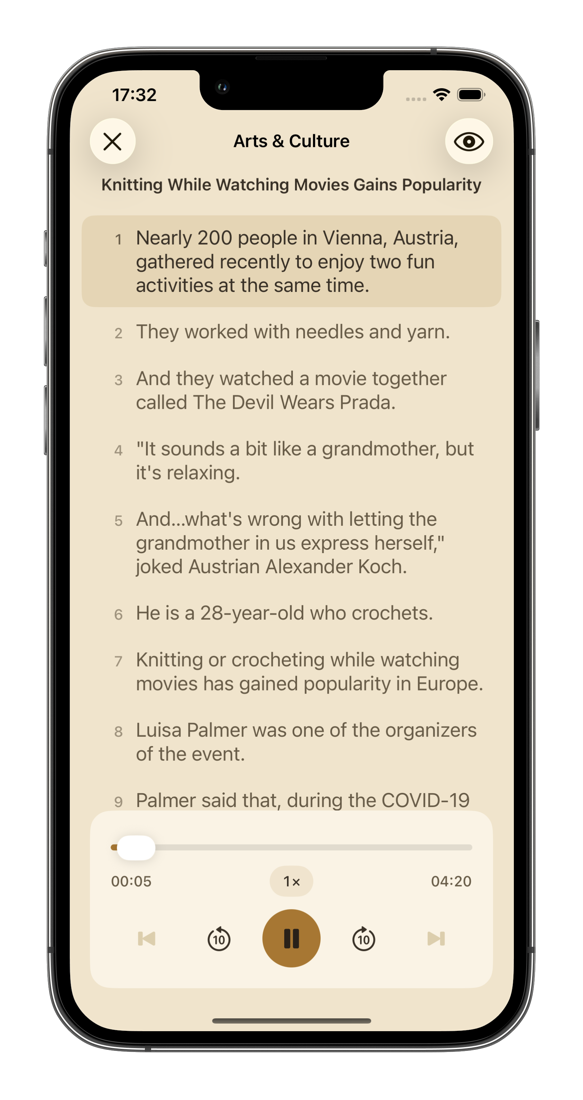
Beyond dictation, the app also lets you follow along with subtitles while listening.
Sentence-by-sentence playback
Audio stops at the end of every sentence, and you can jump back to any part easily. Adjust playback speed from 0.5× to 1.5× to match your level.
Word-by-word checking
Comparison is sequence-based, not position-based — missing a word early on won't throw off the rest of the sentence. Misspelled, missing, and extra words each get their own color.
Hints, not answers
Sentences are masked with asterisks, but word count and length are still visible — enough to guide you, not enough to give it away.
Handwriting on iPad
Write with Apple Pencil on warm-toned ruled paper, even in dark mode. Autocorrect and predictive text are disabled while typing, so the keyboard doesn't do the work for you.
Bring your own audio
Import audio with subtitles (SRT/VTT), audio with a transcript, or audio alone — the app detects sentence boundaries on-device. Package a full lesson into a single file to share with others.
Private, and no distractions
No account, no ads, no tracking. Your progress stays on your device.
Library
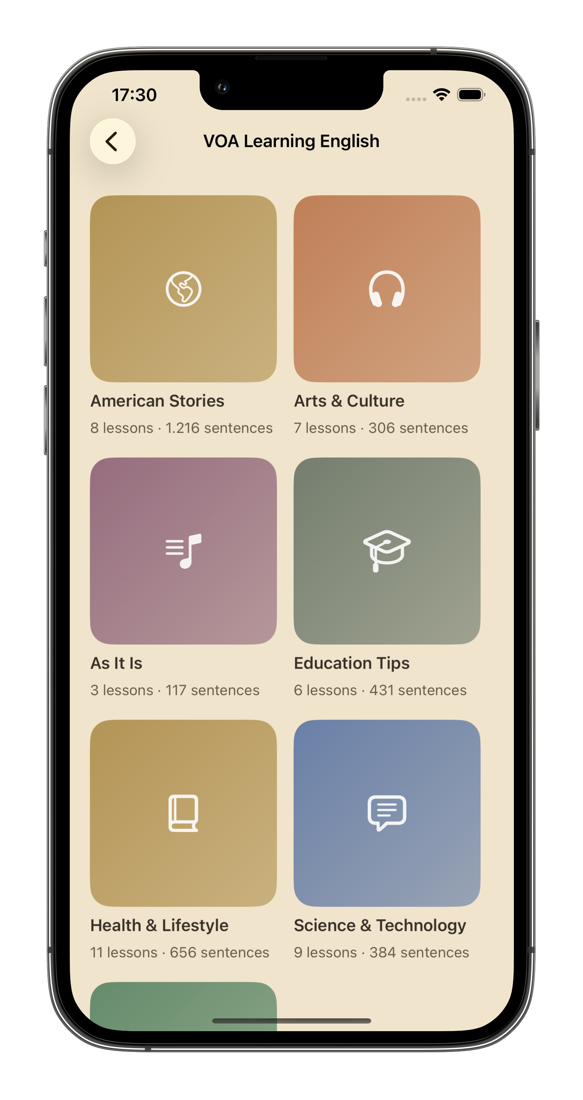
54 free lessons, built right in.
Over 3,500 sentences spanning A2 to C1 — slow, clear news readings in American English, plus Aesop's fables. Download once and study offline.
VOA Learning English
Science, health, culture, education, American life, and the origins of idioms — read slowly and clearly.
LibriVox
Aesop's fables read by volunteers — short lessons with simple, easy-to-follow narration.
Both sources are in the public domain and used under their original licenses.
Screens
A look at the app in action.
Download
Get Inkline.
Built for people preparing for English certification exams, professionals sharpening their listening for work, and self-learners who want concrete feedback instead of passive listening.
Requires iPhone or iPad running iOS 18 or later. Automatic sentence splitting from audio alone requires iOS 26 or later.